Find and find lost or missing files with File Search Assistant
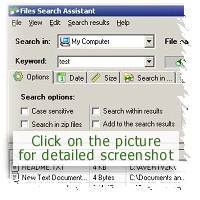
The latest version of FSA provides an easy to use
mean to search and find lost or missing files. Check the "Find
missing files Wizard" in File menu.
Sometime it is really hard to locate file that you have just
created or file that was changed yesterday. There should be an easy
mean to search for files, specify search parameters and get search
results.
For this very purpose we have designed a special wizard that makes it
easy to specify search parameters and search for missing files. It is
located in menu File under Find missing files
Wizard command. You can try it yourself right now -
download trial version of FSA.
Here are steps that you will need to follow:
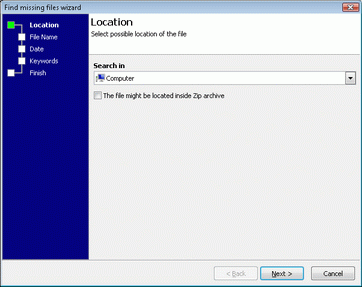
Select the location where FSA should search in. It can be
"My Computer" or some specific disk or folder. If your file is in ZIP
archive then check the checkbox under "Search in" drop list.
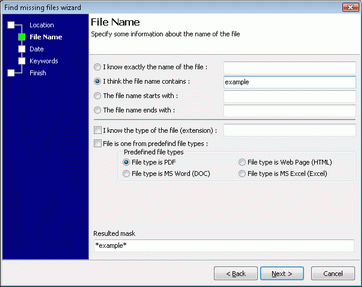
FSA makes it easy to specify the name of file that should
be found. It provides user-friendly interface to specify search parameters.
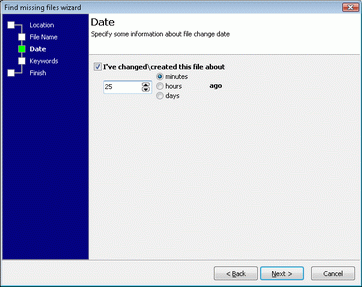
Now, if you know the change date of file, put some
information here.
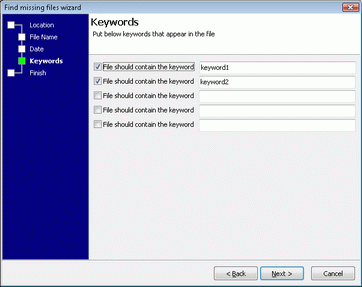
Know some keywords that were in files? Put them here.
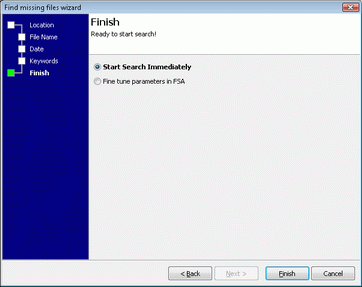
Now, you have two options - start search immediately or
just put this parameters in FSA for further consideration.
Get File Search Assistant
You can get File Search Assistant right now. It's a file search
tool that allows to search for popular file types on local hard disk
and across a network.
|



![[SOLUTIONS]](../../img/solutions.gif)

![[DOWNLOAD]](../../img/download.gif)
![[ORDERING]](../../img/ordering.gif)
![[SUPPORT]](../../img/support.gif)
![[PRESS]](../../img/press.gif)
![[PARTNERS]](../../img/partners.gif)
![[TESTIMONIALS]](../../img/testimonials.gif)
![[ABOUT US]](../../img/aboutus.gif)

